



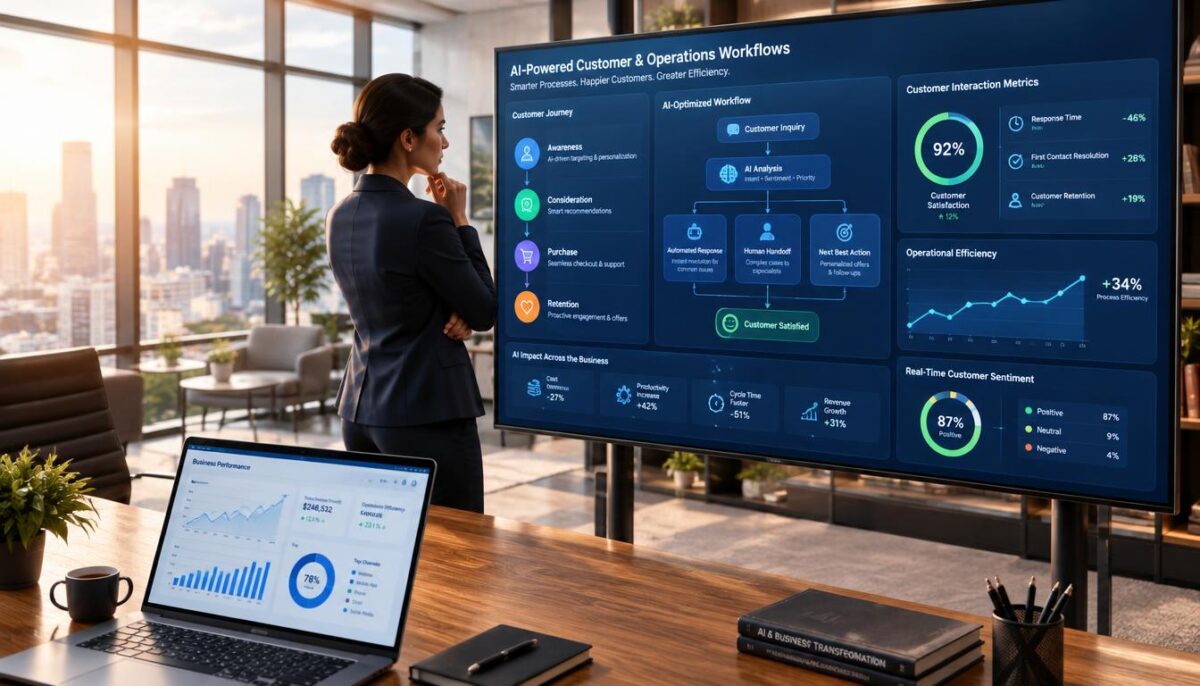
Businesses use AI to handle or assist with tasks such as routing customer requests, drafting content, forecasting demand, and inspecting production. For founders, business owners, and managers, these uses can save time and help teams manage daily work today.
These examples span customer interactions, marketing, product and software development, operations, production, finance, and workforce learning. Human-in-the-loop review is a process in which a person checks an AI output before it is used or acted on.
An AI tool can assist a task, but people remain accountable for decisions and outcomes. The examples begin with common work across departments, then turn to customer-service workflows.
Key Takeaways
- AI can assist with routine tasks across many business functions.
- Human review helps catch errors before they affect customers or operations.
- Start with a frequent task that has a clear measure of success.
- Keep a person responsible for decisions, exceptions, and final outcomes.
- Compare pilot results with the team’s current process before expanding.
What Do AI in Business Examples Look Like in Everyday Work?
A support agent may face a long customer history and need one key detail before replying. An AI assistant can surface account information and summarize earlier interactions, so the agent spends less time searching.
The agent should check current account details, the relevant policy, and the customer’s actual request before using an AI-generated answer. A useful summary saves time, but it may miss a change or confuse two separate issues.
Use an AI-generated reply only after checking the account, policy, and customer request.
Agent assistants summarize customer history
An AI assistant can bring account details and past messages into one view. The employee still decides what matters and what to say.
Telstra’s Ask Telstra and One Sentence Summary tools reduced follow-up contacts by 20%. The company also reported that 90% of its customer-service employees saved time and improved post-sale support quality.
That result reflects Telstra’s experience, not a promise that every business will see the same change. A small team might begin by summarizing call notes or finding the latest service update.
Some 10 examples of artificial intelligence in business lists focus on automation. Customer service is a useful starting point, while this article covers 12 concrete examples across six paired workflows.
Ticket classification routes requests
A separate classification system can sort incoming tickets by topic or urgency. For example, it might send a billing question to one queue and a reported outage to another.
This ticket-classification scenario is illustrative. The rules should match the company’s actual support processes, and an employee should handle unclear or urgent requests.
Teams can review misrouted tickets to find missing categories or confusing labels. That feedback can improve the process without giving the system control over sensitive customer decisions.
For more routine work, an AI assistant for small-business tasks may also help with call summaries and customer messages. Time saved on service work can make room for customer insights and more tailored outreach.
How Can AI Improve Marketing and Customer Outreach?
A marketer adapting one campaign for customers with different interests can use AI to shape recommendations and draft content. Staff should check customer consent and data relevance before personalization.
That check matters because browsing or purchase history may not reflect what a customer wants now. A relevant offer should fit the person’s current needs, not just a pattern in old data.
Recommendations tailor offers to customer behavior
Recommendation systems can use a customer’s browsing or purchase history to suggest products, services, or useful information. A shop might show related items after a customer views a product.
The team should ask whether the data is current and whether its use fits the customer’s consent. If a person’s interests change, old behavior can lead to awkward or unwanted suggestions.
AI can help staff sort customer insights across a large set of interactions. People still set the campaign goal and decide which audience should receive an offer.
Harvard Division of Continuing Education describes AI uses in personalization and content drafting in its overview of AI in marketing. The work still calls for human oversight.
Generative AI drafts campaign content
Generative AI can draft email copy, product descriptions, and social posts. A marketer can use the draft as a starting point, then check the facts and fit.
AI-generated text may sound polished while making an unsupported claim or missing a key offer term. Staff should confirm the audience, voice, links, and details before publishing.
Use this four-item pre-publication checklist:
- Factual claims: confirm each claim against trusted product information.
- Brand voice: check that wording fits the company’s usual tone.
- Audience fit: make sure the message speaks to the intended customers.
- Links and offer details: test links and confirm dates, prices, and terms.
These checks help keep content useful instead of merely fluent. Moving from adapted messages to product and software work brings AI into creative development.
Where Can AI Support Product and Software Development?
A product designer can use prompts to explore several possible versions of a concept before choosing one to develop. Generated concepts and code need human review for fit, safety, correctness, and quality.
Image generation can help teams see visual options early, while code assistants can suggest routine changes. Neither tool replaces a designer’s or developer’s judgment.
Image generation expands product concepts
Designers can ask an image system for variations in shape, color, or style. They can then refine a promising direction using product requirements and their own expertise.
Mattel began using OpenAI’s DALL-E image-generation system in October 2022 to help designers explore Hot Wheels concepts. The images supported idea exploration, rather than making the final design decision.
A team should check whether a generated concept fits the product, can be made, and meets safety needs. A striking image alone does not show that a design will work in real use.
Code assistants support software teams
A code assistant can draft routine code or suggest changes for a developer to inspect and test. The tool may save typing time, but it can also introduce errors or security problems.
Goldman Sachs developers have used generative AI to write as much as 40% of code automatically in testing. That figure describes testing, not a general result for every software team.
Developers should test generated code, check how it fits existing systems, and review its effects on product quality. A human expert must decide whether a change is safe to release.
These tools support specialist work when teams keep people in charge of choices. The same approach applies to predicting operational needs and spotting equipment problems.
Can AI Improve Forecasting and Equipment Reliability?
An operations manager deciding whether planned inventory will meet a change in customer demand can use AI forecasts as one input. A forecast is guidance, not a guarantee of future sales.
Forecasting systems can combine past sales with current signals to help teams plan inventory and production. People must judge whether those signals reflect what is happening in the business.
Demand forecasts help plan inventory
A demand-forecasting system may use historical sales, seasonal trends, and current order information. Managers can compare its prediction with supply limits and recent market changes.
Danone reported a 20% reduction in forecasting errors and a 30% decline in lost sales through AI use in its supply chain. Those company results are not a typical outcome for every business.
Forecast error means the difference between predicted demand and actual demand. Teams can track that gap over time and use it to spot where planning needs a closer look.
A forecast can miss a sudden change, such as a supplier delay or a shift in customer demand. Staff should check relevant context before they change stock or production plans.
Predictive maintenance flags equipment problems
Predictive-maintenance models can flag patterns in equipment data for inspection. A signal may help staff plan a check, but it does not prove that a machine will fail.
For example, a change in vibration or temperature readings could prompt a technician to inspect a motor. The alert needs context, including recent repairs and the machine’s normal operating range.
Human checks should include validating source data, comparing predictions with operating conditions, and confirming actions with qualified staff. A weak sensor reading should not trigger an unnecessary repair on its own.
These forecasts and equipment signals help teams plan work. Production-line checks add another layer by catching quality problems in products and processes.
How Is AI Used in Production and Quality Control?
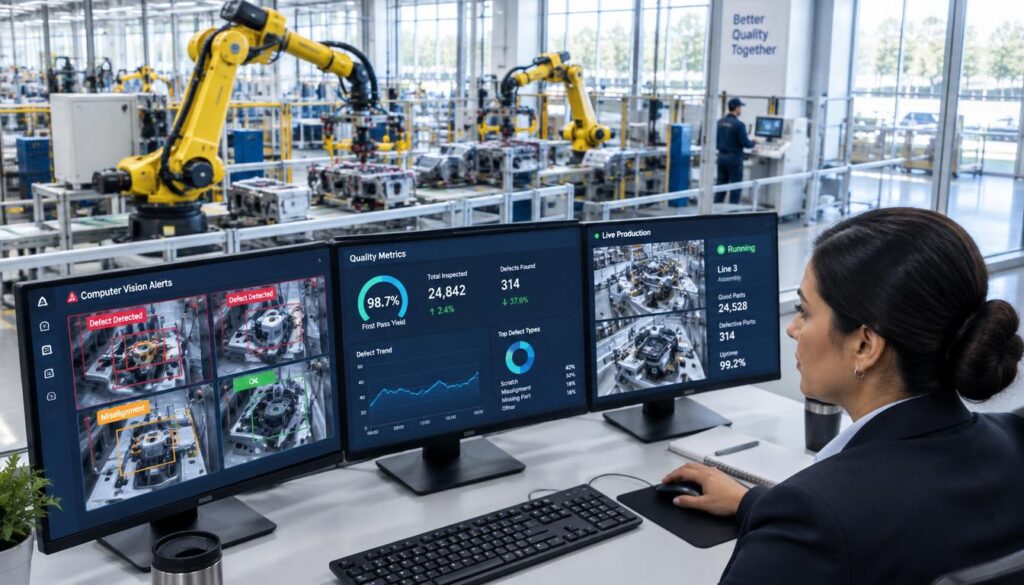
A quality operator on a fast-moving production line needs to spot defects without slowing every item. Computer vision can help inspect products, but a person should validate alerts and decide how to handle defects.
Computer vision uses images to identify patterns or features. A system can flag a possible issue for review, while staff decide whether to stop a line or remove an item.
Computer vision checks products on the line
In production, computer vision can check products or process steps at line speed. It may flag a missing part, a damaged surface, or a step that appears incomplete.
The system’s limits depend on camera placement, lighting, and the defect types it can detect. A change in materials or packaging may affect results, so the team should test the setup in its own facility.
P&G is developing AI capabilities across more than 100 manufacturing sites. That work does not mean every site uses the same system or that every quality check can be automated.
Operators should compare alerts with the product and the company’s quality rules. A false alert can waste time, while a missed defect can reach a customer.
Robotic pollinators identify flowers ready for pollination
Costa Group’s robotic pollination system uses computer vision to identify flowers ready for pollination. The robot then uses air pulses to vibrate them.
Early results showed a 15% higher yield than manual pollination and up to 7% higher yield than bumblebees. Those comparisons describe Costa Group’s early results, not all crops or farms.
Staff still need to assess whether a robot works for a crop, growing setup, and season. The results can vary with operating conditions and the system’s task.
Image-based checks can guide action in a factory or a growing area. Other AI uses help finance teams examine transactions and managers plan employee learning.
Which Finance and Workforce Tasks Can AI Assist?
A finance team reviewing a transaction alert needs context before acting. An AI system can flag unusual activity, but an alert alone does not establish that fraud occurred.
Staff can compare the alert with transaction details, customer history, and known business activity. An investigator decides whether the event needs follow-up.
Transaction monitoring flags unusual activity
Transaction-monitoring systems can look for patterns that differ from a customer’s usual activity or a company’s normal process. They help investigators focus on transactions that may need attention.
A flag can have a harmless cause, such as a changed purchase pattern or a new payment route. The investigator should gather context before making a decision that affects a customer.
Companies should set clear rules for who reviews alerts and how staff record their decisions. That helps teams understand why a case was closed or sent for more review.
Competency assessments target employee learning
Competency assessments can help managers identify skill gaps and suggest training. Britannia reported that AI-supported assessments cut assessment time by 75%.
Its system recommended training modules for 431 officers across 18 manufacturing sites. Those figures describe Britannia’s program, not a standard result for other organizations.
Training suggestions should reflect each person’s role requirements. Managers should discuss recommendations with the employee, since a score may miss hands-on experience or a recent change in duties.
Good learning plans give employees a chance to explain what support they need. Finance alerts and training suggestions both need clear human review rules across different kinds of AI output.
What Should a Human Check Before AI Output Reaches Customers?
A support reply may sound plausible but rely on an outdated policy. Assign a person to check customer-facing AI output against trusted information before it is used.
The right reviewer depends on the task. A support lead can check a reply, while an operations manager may review a forecast that affects inventory.
Use this review framework to set clear owners and escalation points:
| AI output | Human reviewer | Check before use | Hold or escalate when |
|---|---|---|---|
| Customer-support reply | Support agent | Account details, request, and current policy | Policy is unclear or the issue is urgent |
| Marketing draft | Campaign manager | Claims, brand voice, audience, and offer terms | Claims lack proof or terms conflict |
| Demand forecast | Inventory manager | Input data, recent orders, and supply limits | Data is missing or the forecast conflicts with operations |
| Production-quality alert | Quality operator | Product condition and inspection rules | Alert could affect safety or stop production |
Set the review process in four steps:
- Assign an accountable owner for each output type.
- Check the output against trusted information and current records.
- Approve or correct it before anyone acts on it.
- Record recurring errors so the team can follow up.
Clear review rules help teams catch errors without blocking routine work. They also make it easier to spot problems that affect a whole workflow.
What Are the Main Disadvantages of AI in Business?
A manager may discover that an AI-generated answer sounds confident but is wrong. AI outputs can be inaccurate or outdated, so teams need controls that match the task.
Other risks include exposure of sensitive data, bias from incomplete data, and the effort needed to connect and maintain technology. Customers may lose trust if automation stops them from reaching a person.
This risk table links each concern to a practical control and a reason to pause:
| Risk | Where it may appear | Practical control | Signal to pause |
|---|---|---|---|
| Inaccurate output | Customer replies or summaries | Check claims against current records | Repeated errors affect customers |
| Sensitive data exposure | Prompts, uploads, or account notes | Limit access and avoid unneeded data | Unexpected access or data use appears |
| Biased decisions | Screening or service choices | Review outcomes across relevant groups | Unexplained differences persist |
| Workflow failure | Integrated systems and handoffs | Keep a manual route and test changes | Staff cannot complete routine work |
Watch for five warning signs that the workflow needs attention:
- Staff repeatedly correct the same kind of output.
- Outcomes differ without a clear reason.
- The tool accesses data the task does not need.
- More customers or cases reach escalation teams.
- Employees work around the tool to finish routine tasks.
Controls can reduce risk, but they cannot guarantee safety. Use these limits to choose a suitable tool and design a small, controlled pilot.
How Should a Small Company Choose AI Tools and Start a Pilot?
An owner may notice staff spending time on the same predictable task each week. A small pilot can test whether a tool helps without changing the whole company’s workflow.
Choose a frequent task with a clear measure, then keep human review in place during the test. Tool fit depends on data handling, user controls, integration needs, and operating effort.
Use five steps to set up the pilot:
- Choose a frequent, measurable task with a clear owner.
- Document the current process and record a baseline.
- Check data access and the company’s security needs.
- Test with a limited group and human review.
- Decide whether to expand, revise, or stop.
Compare tools against the actual workflow, not a feature list alone. A tool that works for drafting may not fit a process that needs strict data controls or links to existing systems.
Consider how users can review outputs, how the tool handles data, and what work integration will add. Total operating effort includes setup, staff time, and ongoing care.
AI in business articles can help managers find ideas, but claims need comparison with the company’s own workflow requirements. A useful idea still needs a test in real work.
Guidance from New Zealand’s business.govt.nz recommends starting with a frequent, low-risk task, testing with human review, and comparing results with current processes. Its AI implementation guidance also advises reviewing privacy settings and limiting sensitive data.
A pilot is useful only when the team measures an outcome against its starting point. That comparison helps show whether time saved outweighs added review and upkeep.
How Can You Measure Whether an AI Use Case Pays Off?
A manager can compare how long a task took before a pilot with the time it takes during the pilot. Do not claim a return until you compare observed results with a measured baseline.
Track the same task and conditions in both periods. Record errors, customer effects, and the extra effort needed to run the tool.
Use four measures to guide the decision:
| Measure | Baseline to record | Pilot result to compare | Decision it informs |
|---|---|---|---|
| Time per task | Minutes for the current process | Minutes including review and correction | Whether work time changed |
| Error or rework rate | Errors or corrections per set of tasks | Same count using the pilot workflow | Whether quality improved or fell |
| Customer outcome | Current response time or complaint count | Same measure for pilot cases | Whether service changed |
| Total operating cost | Staff time and current process costs | Tool, integration, review, and upkeep costs | Whether the full cost is acceptable |
Decide what to do with four simple rules:
- Continue if the intended outcome improves without unacceptable errors.
- Adjust if gains are offset by corrections or added work.
- Stop if risks exceed the benefit.
- Reassess after a meaningful change to the workflow.
AI in business research and the broader significance of AI in business are useful when managers separate general claims from evidence in their own processes. The company’s results should guide the choice.
Measure the work before and during a pilot, including review time, errors, customer effects, and operating costs.
Choose one recurring task and record its current time, error rate, or customer impact. That baseline gives your team a practical next step and a fair way to judge change.
Conclusion
Useful AI adoption starts with a specific workflow, not a company-wide technology mandate. Choose one recurring task your team understands, then record its current time, error rate, or customer impact.
A clear baseline makes it easier to judge whether a tool helps or adds work. Name an owner who can check outputs, handle exceptions, and stop the test if needed.
Start small, learn from the actual process, and expand only when the results support it. People remain accountable for decisions and outcomes, even when AI assists the work.
FAQ
What are examples of AI businesses?
Businesses use AI for customer service support, demand forecasting, production inspection, coding, and employee learning. A support team might use an AI assistant to summarize earlier customer interactions. An operations team might compare predicted demand with actual sales. These systems assist specific tasks, while employees review important outputs and make decisions that affect customers, staff, or production.
What is AI and give one example?
Artificial intelligence is technology that performs tasks linked with human intelligence, such as sorting information or finding patterns. Ticket classification is one business example: a system sorts incoming customer requests by topic or urgency. Staff can check unclear or sensitive cases and send them to the right person. The tool helps route work, but it does not understand every customer situation.
What are the top 10 most used AI?
There is no single, universally accepted ranking of the ten most-used AI applications. Common areas include customer support, recommendations, content drafting, image generation, coding, demand forecasting, maintenance alerts, production inspection, transaction monitoring, and employee learning. Businesses use these applications in different ways. Their value depends on the task, the quality of the data, and the human checks around the system.
How has AI changed the world?
In business, AI has helped teams predict patterns, automate routine steps, generate content, and detect unusual activity. These tools can change how staff handle information and organize work. They do not remove the need for human oversight. People still add context, check mistakes, manage exceptions, and take responsibility for decisions that affect customers and company operations.
Which business tasks are best suited to an AI pilot?
Frequent, repeatable tasks with measurable outcomes are usually good pilot candidates. Look for work where a person can review exceptions, such as sorting routine requests or preparing a first draft. Avoid starting with a task that has high stakes and no clear review path. Record the current process first, then compare the pilot using the same measures.
How much does AI cost for a small business?
Total cost depends on how much the team uses a tool, how much integration it needs, and how much data preparation is required. Review and staff training also take time. Ongoing maintenance can add work after setup. Compare the full cost of using the tool with the current process, rather than looking only at a subscription fee.
Can AI use customer data safely?
AI can use customer data more safely when the company limits access, checks how a tool handles and retains data, and follows its own policies. Share only the information needed for the task. Set clear rules for who can use the system and what they can enter. Staff should know where to report unexpected access or data use.
Does AI replace employees in business?
AI may handle parts of a job, but that does not mean it replaces an entire role. People provide context, deal with exceptions, and decide how to act on important outputs. A business should look at how a tool changes daily tasks and responsibilities. Employees still need clear review rules, training, and a person to contact when the system fails.